
How we Choose the Rugged Computing Platform for the Automation, Robotics and OEM project?
When an industrial PC is used for automation, robotics, machine vision, or OEM equipment, reliable communication with field devices is just as important as CPU performance.
Sensors, switches, relays, actuators, cameras, and controllers often communicate with the IPC through digital input and output (DIO). In electrically noisy industrial environments, however, simply having enough I/O channels may not be enough. Voltage fluctuations, electrical noise, and ground potential differences can affect signal reliability or even damage connected equipment.
At this point, the industrial PC equipped with isolated DIO performs electrical isolation in harsh industrial environments, enabling the IPC to resist interference and maintain normal communication in such conditions.
But does each automation project necessarily require its own DIO? Before choosing an IPC with independent DIO, what aspects should be checked? How to compare the keys factors, including isolation, I/O configuration, wiring, software compatibility, and customization.
Let’s explore it with Future Robot!
What is an IPC with Isolated DIO?
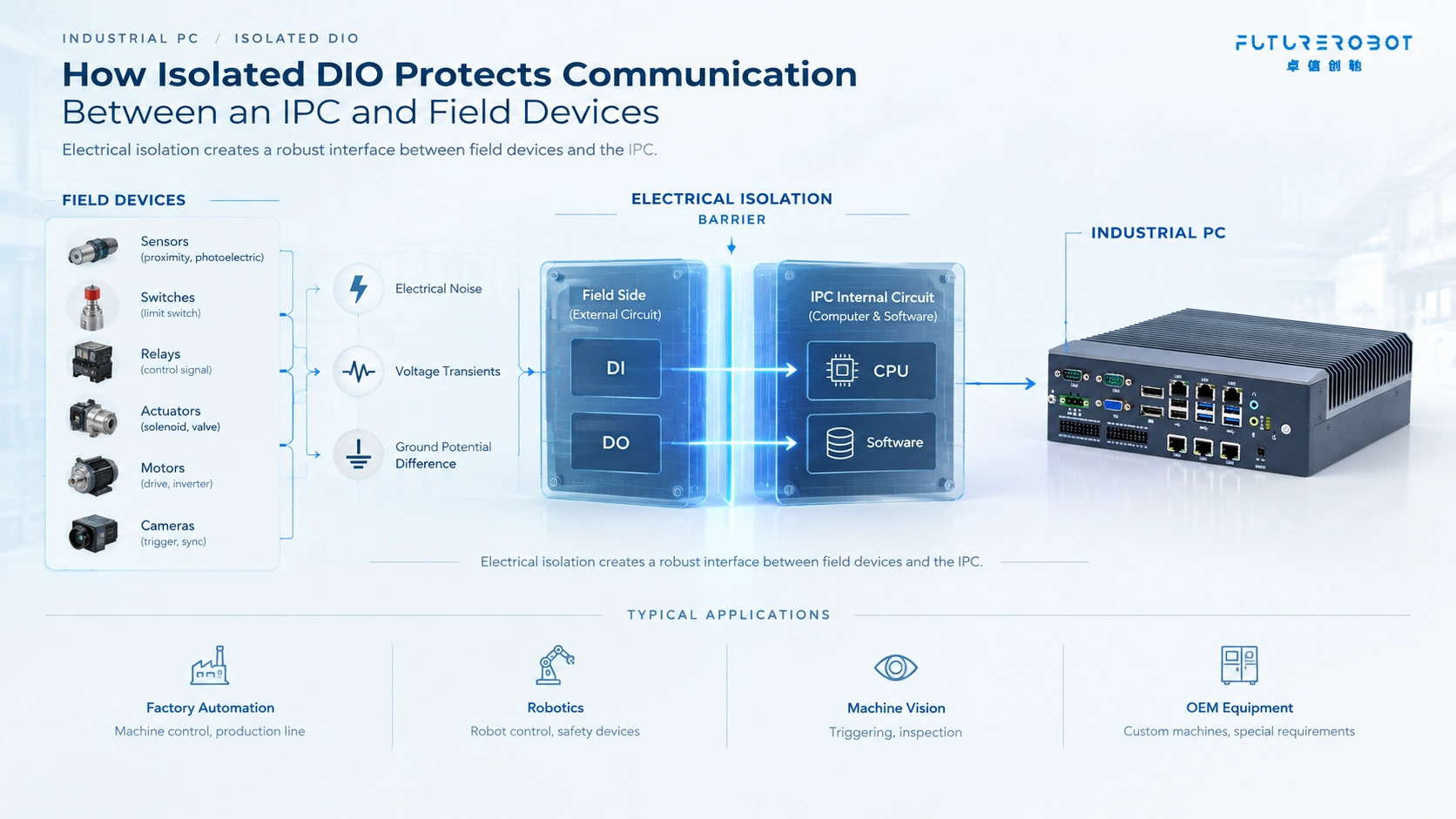
DIO stands for Digital Input and Digital Output.
- Digital Input (DI) receives ON/OFF signals from external devices such as proximity sensors, limit switches, photoelectric sensors, and emergency signals.
- Digital Output (DO) sends ON/OFF control signals to devices such as relays, indicators, solenoids, and other actuators.
The main difference between Standard DIO and Isolated DIO lies in the fact that our engineers have implemented Electrical Isolation between the field side and the internal circuits of the IPC during the development and design process.
With electrical isolation, the external device circuit and the IPC’s internal circuit are separated by an isolation barrier. Signals can still be transferred, but there is no direct electrical connection between the two sides.
This helps reduce the impact of electrical interference, voltage disturbances, and ground potential differences.
In practical terms, an isolated DIO industrial PC is designed to provide a more robust interface between the computer and devices operating in the field.
Why Is Isolated DIO Important for Automation and Robotics?
Industrial equipment often exist generate electrical noise, voltage transients, and ground potential differences. Isolated DIO adds an electrical barrier between the IPC and field devices, helping maintain reliable signal communication.
• Factory Automation – Connect sensors and actuators to the IPC through DI/DO for machine control. Isolation helps reduce the impact of electrical interference.
• Robotics – Robots integrate controllers, sensors, safety devices, and motion systems. Isolated DIO provides a reliable interface between the IPC and external devices.
• Machine Vision – Digital I/O can trigger cameras, control lighting, and coordinate sensors or reject mechanisms. Reliable triggering is important for high-speed inspection.
• OEM Equipment – OEM machines often require specific I/O, voltage, connectors, mounting, and software configurations. A flexible and customizable IPC platform can simplify system integration.
So, How to Choose an Industrial PC with the Isolated DIO
Having isolated DIO does not automatically mean that an IPC is suitable for your application. The key is to match the electrical and functional requirements of the project.
1. Check the Isolation
First, confirm whether the digital I/O is actually electrically isolated. Look for specifications such as:
- Isolated DI
- Isolated DO
- Digital I/O isolation
- Channel-to-channel isolation
- Group isolation
- Isolation voltage
Also check how the isolation is implemented and what level of isolation the application requires.
2. Check the I/O Configuration
The number of channels is only one part of the specification. We should also check:
- Number of DI channels
- Number of DO channels
- Input voltage
- Output voltage
- Output current
- Sink/source configuration
- NPN/PNP compatibility
- Connector type
- Common ground configuration
For example, an IPC with 16 DI and 16 DO may still be unsuitable if the customer’s sensors use a different voltage or wiring configuration. I/O quantity does not equal I/O compatibility.
3. Consider the Wiring
Wiring can significantly affect the actual reliability of an industrial control system. Before selecting an industrial PC, understand how the IPC will connect to the field devices. Consider:
- Cable length
- Field voltage
- Grounding
- Shielding
- Common terminals
- Connector location
- Installation environment
For OEM equipment, the physical location of the I/O ports can also affect cabinet layout and maintenance.
A technically correct I/O specification is not enough if the wiring is inconvenient for the final machine.
4. Check Software Compatibility
Hardware is only one part of the system. The industrial PC should support the operating system, drivers, SDKs, and software environment required by the application.
Depending on the project, this may include:
- Windows IoT or Windows
- Linux
- Ubuntu
- Device drivers
- SDK/API support
- GPIO or DIO control libraries
- Machine vision software
- Docker or edge computing applications
For custom OEM projects, it is also worth confirming how DIO is accessed and controlled from the customer’s application.
5. Look Beyond DIO
An IPC for automation or robotics usually needs to do much more than provide digital I/O.
The overall platform may need:
- Intel CPU performance
- Multiple Ethernet ports
- USB
- RS-232/RS-485
- CAN
- PoE
- Expansion interfaces
- GPU or AI acceleration
- Fanless operation
- Wide-temperature support
- 24V DC input
- Compact or DIN-rail mounting
The right question is therefore not:
“Does this IPC have isolated DIO?”
It is:
“Can this IPC provide the complete computing, communication, control, and mechanical interface required by my machine?”
Standard DIO vs. Isolated DIO
The choice between standard and isolated DIO depends on the application.
| Feature | Standard DIO | Isolated DIO |
| Digital input/output | ✅ | ✅ |
| Electrical isolation | Usually ❌ | ✅ |
| Protection against field-side disturbances | Limited | Better |
| Ground potential difference handling | Limited | Better |
| Suitable for simple systems | ✅ | ✅ |
| Suitable for electrically noisy environments | Depends | Generally more suitable |
| Typical industrial/OEM applications | ✅ | ✅ |
For a simple system with a clean electrical environment, standard DIO may be sufficient.
For equipment with motors, inverters, long cables, mixed power domains, or sensitive control electronics, isolated DIO may provide an additional level of protection and signal reliability.
What Else Should You Look for in an Industrial PC for Automation and Robotics?
DIO should be evaluated as part of the entire industrial computing platform.
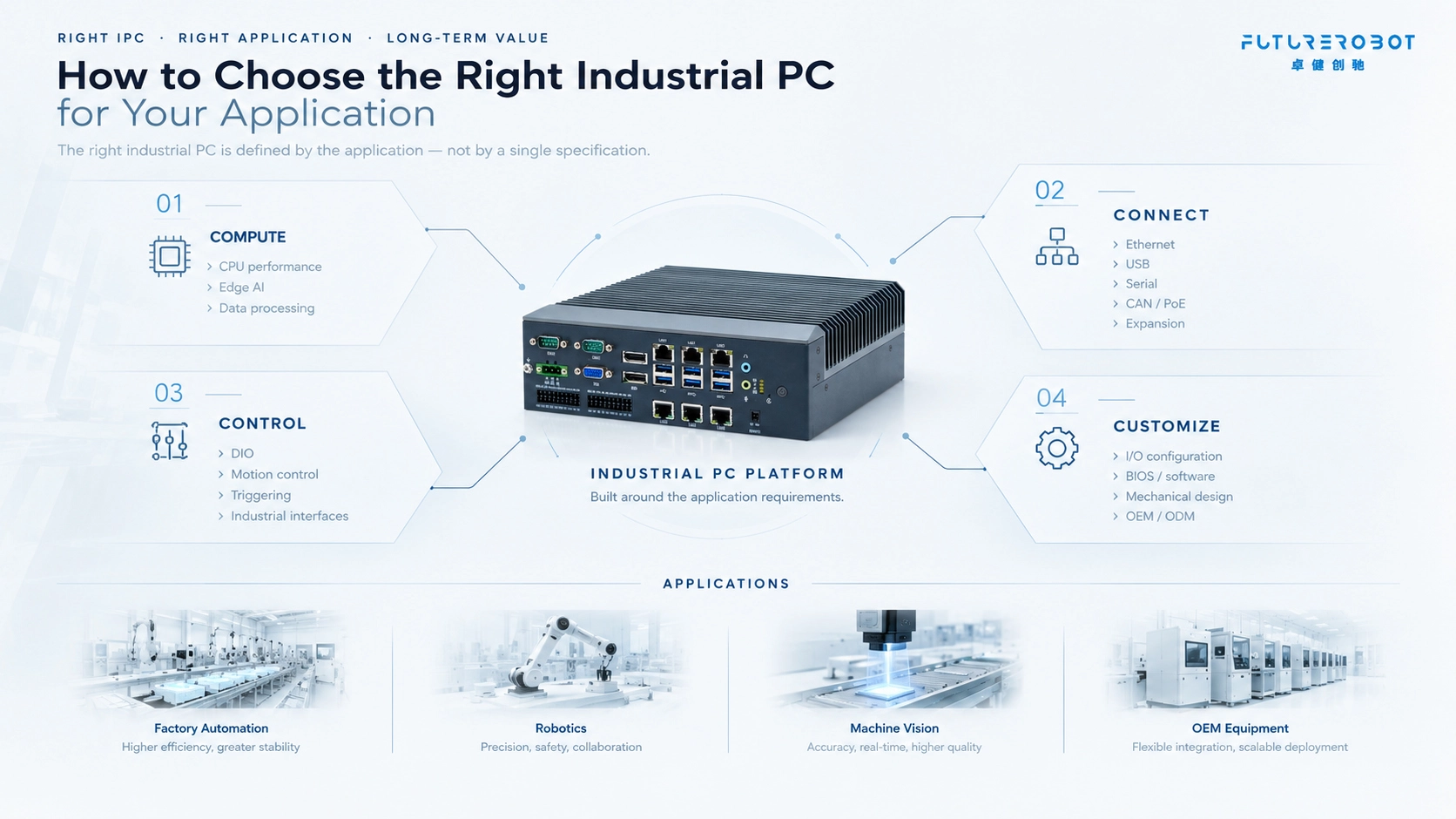
For automation and robotics, a good IPC should balance four capabilities:
Compute → Connect → Control → Customize
1. Compute
The processor should provide enough performance for the actual workload, whether that means machine control, machine vision, data processing, or edge AI.
2. Connect
Industrial equipment often needs to communicate with multiple devices simultaneously. Multiple Ethernet ports, USB, serial ports, CAN, PoE, and expansion options can make the platform easier to integrate.
3. Motion Control
DIO, triggering interfaces, and other industrial interfaces allow the IPC to interact directly with field equipment.
4. Customize
OEM projects often require changes to hardware, connectors, BIOS, operating systems, mechanical design, or I/O configuration.A flexible OEM/ODM platform can reduce the need to redesign the entire system around a standard computer.
Future Robot Industrial PC Solutions
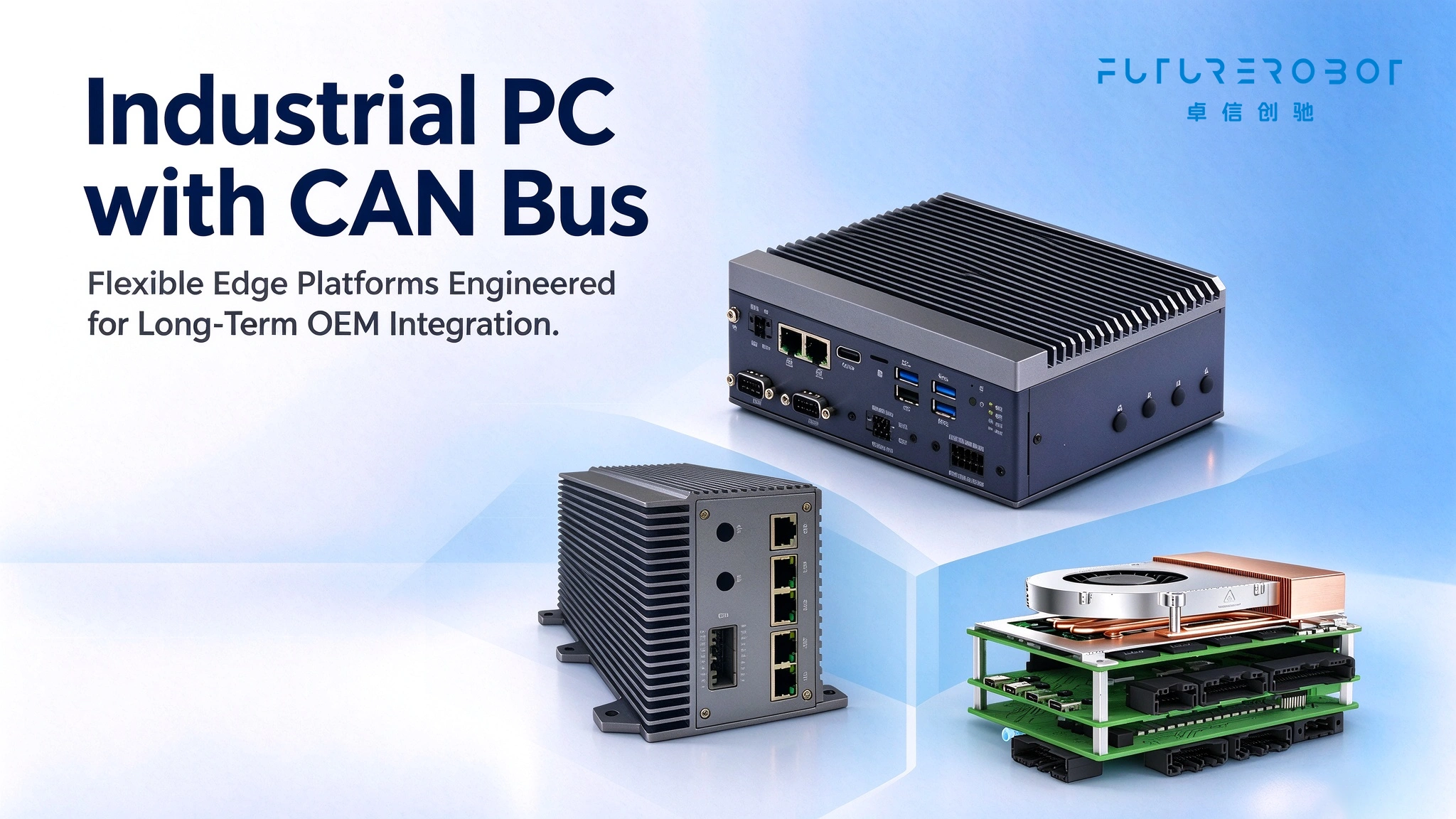
Future Robot develops Intel-based industrial computing platforms for industrial automation, robotics, machine vision, and OEM/ODM applications. Its product portfolio covers embedded industrial PCs, industrial panel PCs, computer-on-modules, single-board computers, and expansion solutions.
Depending on the model, Future Robot industrial PCs can provide different combinations of:
- I/O
- Isolated digital I/O
- Isolated RS-232//RS-422/RS-485
- Multiple Ethernet ports (PoE Optional)
- CAN / CANBus
- USB
- Expansion slots
- Fanless designs
- Wall mounting / Din Rail Installation options
For example, some Future Robot platforms are designed specifically around machine vision and real-time triggering, while other industrial PC platforms provide larger I/O configurations for automation and OEM equipment.
This means the right product should be selected according to the actual application rather than simply choosing the IPC with the largest number of I/O channels.
We’re just a message away! Let us help with your needs.